
Affiliates: How do I add your banner or product images to my blog or website?
Assume you were able to login and you navigated to the banner page
Sample of available Banners in different sizes:

Sample of available Banners in different sizes:
- Facebook (615x300)
- Web banners & skyscraper style
- 10% off coupon
In addition, you can always add links directly to categories like organic bedding (see navigation, Category Ads, Preview) or Product Ads.
How to add Banner Ad
Select one of the banners, then copy the link
How to add Banner Ad
Select one of the banners, then copy the link
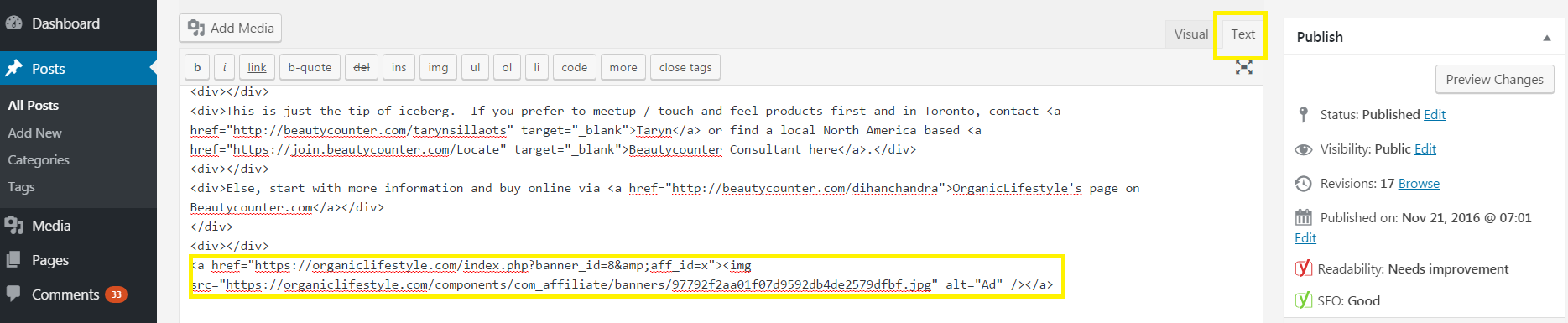
eg., <a href="https://organiclifestyle.com/index.php?banner_id=8&aff_id=x"><img src="https://organiclifestyle.com/components/com_affiliate/banners/97792f2aa01f07d9592db4de2579dfbf.jpg" alt="Ad" /></a>
Then you'd paste this link onto any page on your website
If its a wordpress blog, ensure you select the 'Text' Tab.
Here's an example:
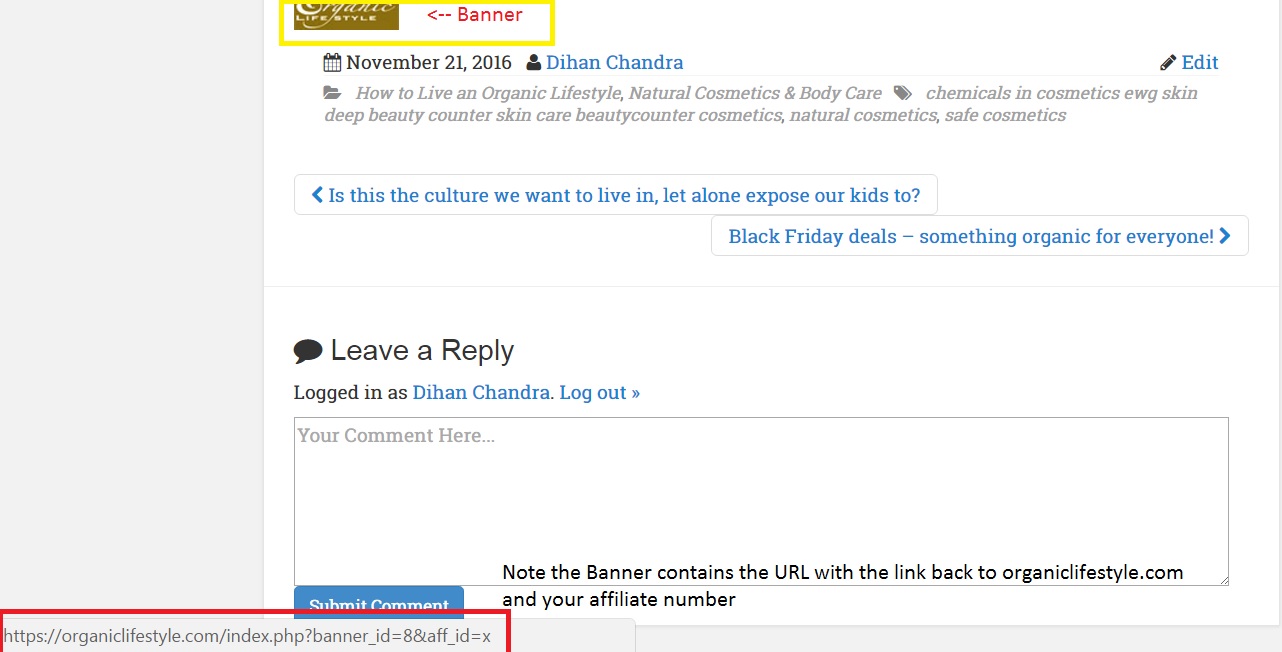
Then in preview / publish mode, the banner will appear:
Back to Welcome Affiliates! or jump to How to link your affiliate ID to our Pinterest image page
Then in preview / publish mode, the banner will appear:
Back to Welcome Affiliates! or jump to How to link your affiliate ID to our Pinterest image page